
Let’s be real: you want to learn how to break into things (legally, of course). But you don't want to accidentally nuke your Windows partition or lose your 400-hour meme files. That’s where ZecurX comes in to show you the way of the Virtual Machine.
Phase 1: The "Shopping" List (Everything is Free)
· Before we play "Matrix," we need the goods.
· Oracle VirtualBox: Think of this as a "Computer inside your
Computer." It’s like Inception, but for software.
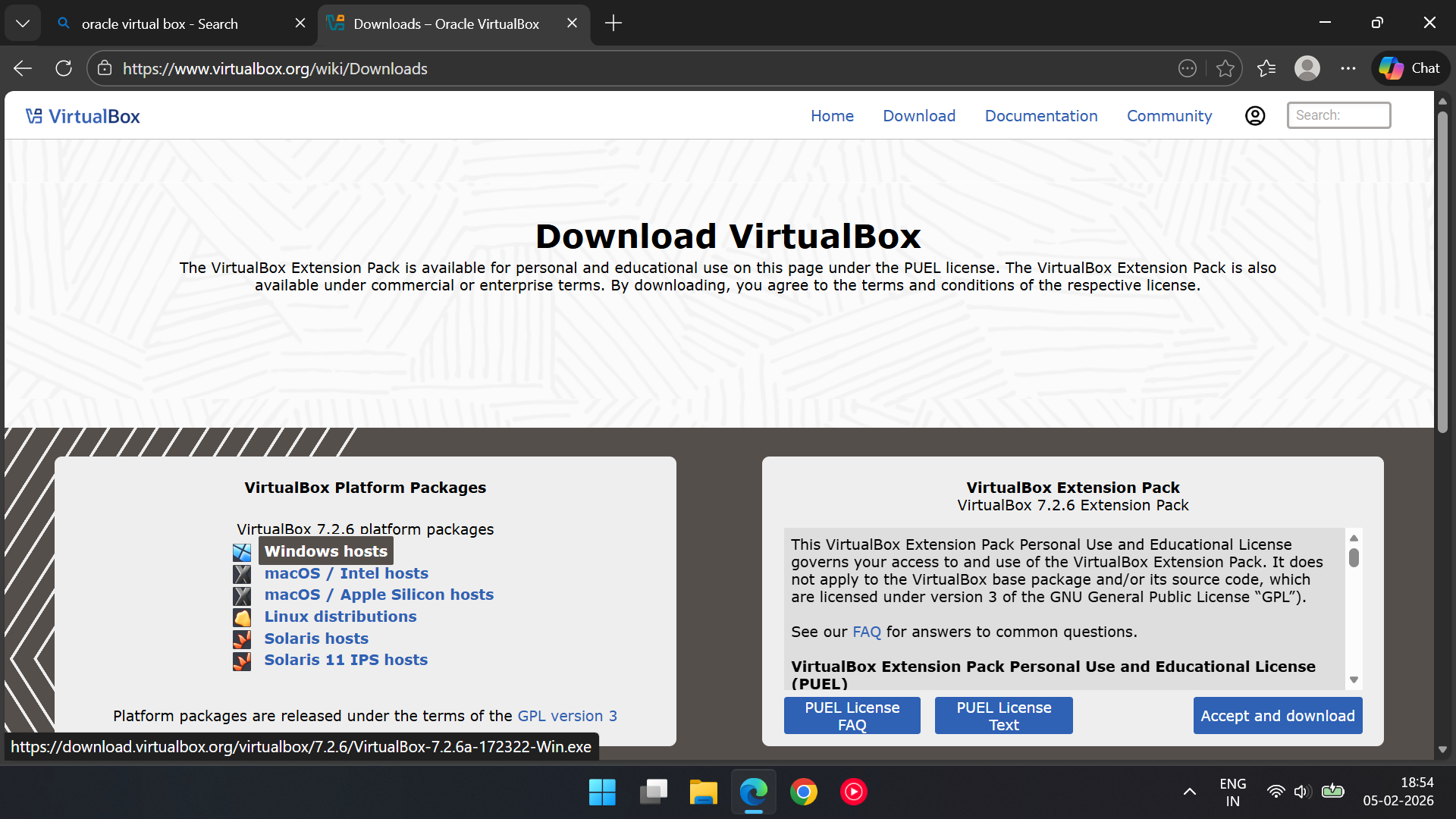
· In browser search for oracle VirtualBox .
· Steps: Select windows hosts/ mac OS / Linux(depends on your
computer’s OS) > In Virtual Extension pack > click on Accept and
download.
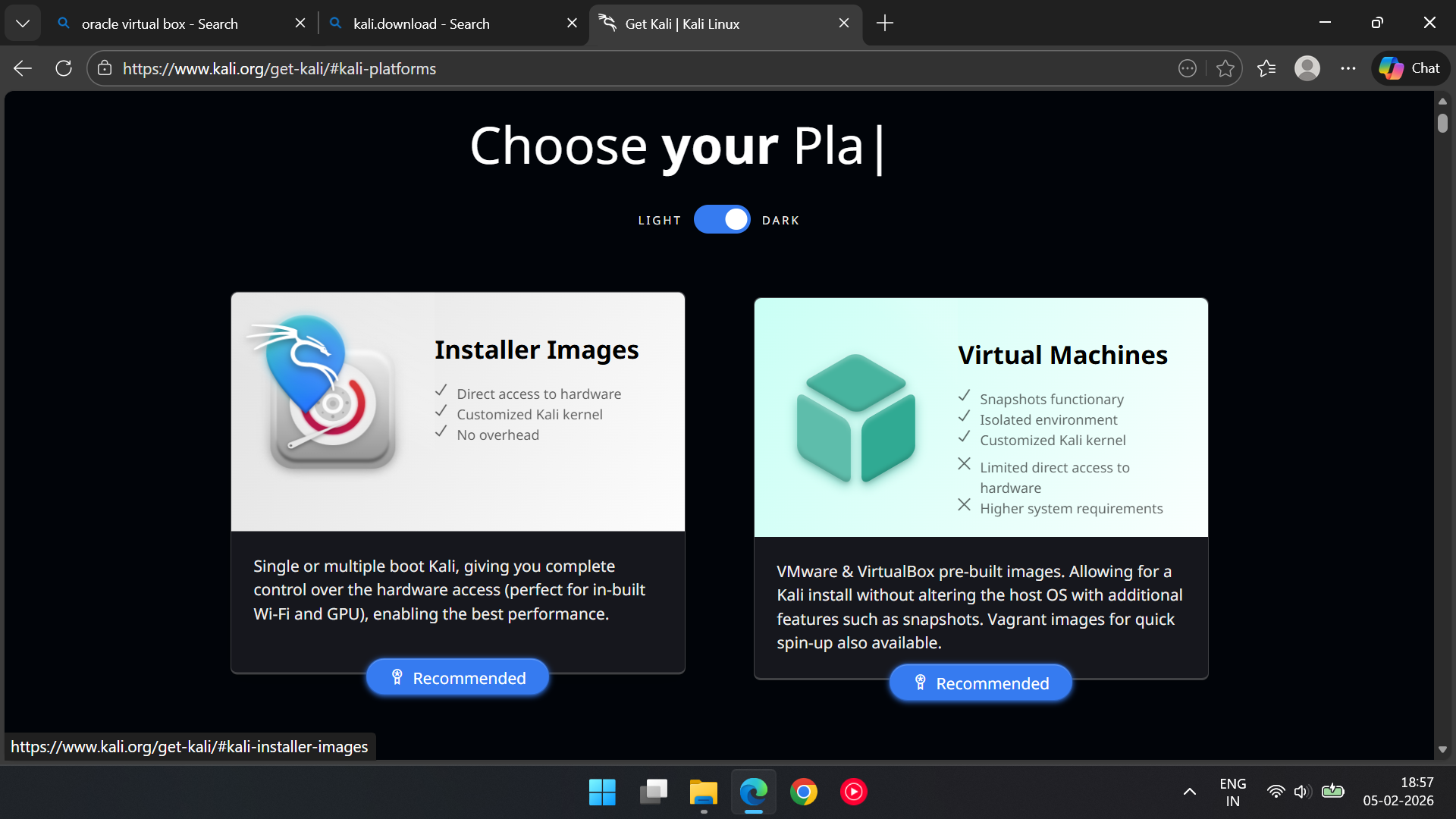
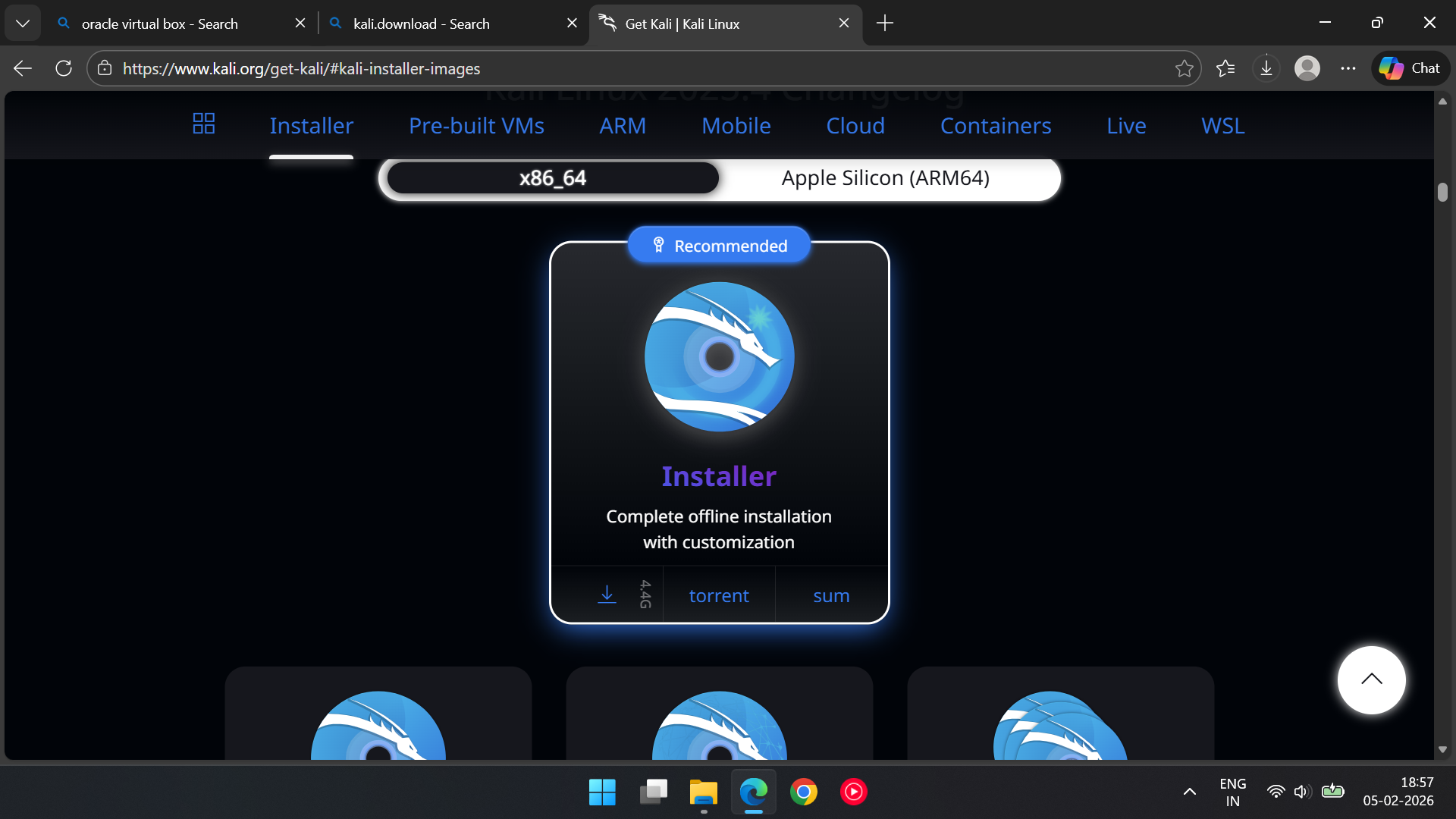
· The Kali Linux ISO: This is the "brain" of Kali. Download the Installer Image (it’s a chunky 4.2GB)In Browser.
· Search for kali.download and click on first link > Installer Images > select x80_64 > Download.
Phase 2: Building the "Digital Sandbox"
· We need to give Kali a room to live in. Open Virtual Box and let's get building.
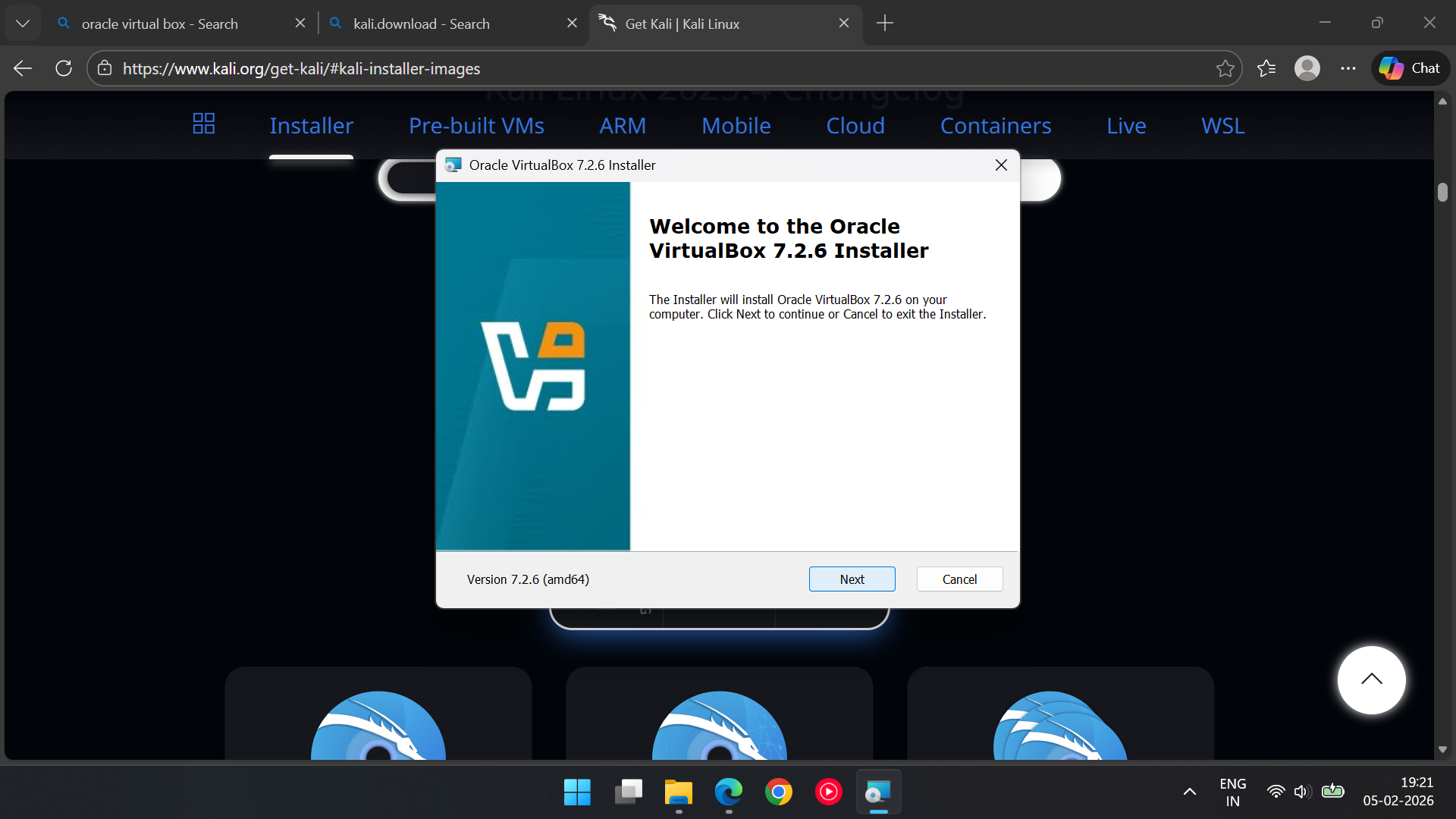
· Start your Virtual Box machine > The "Next" Button: Click the button multiple times until completion.
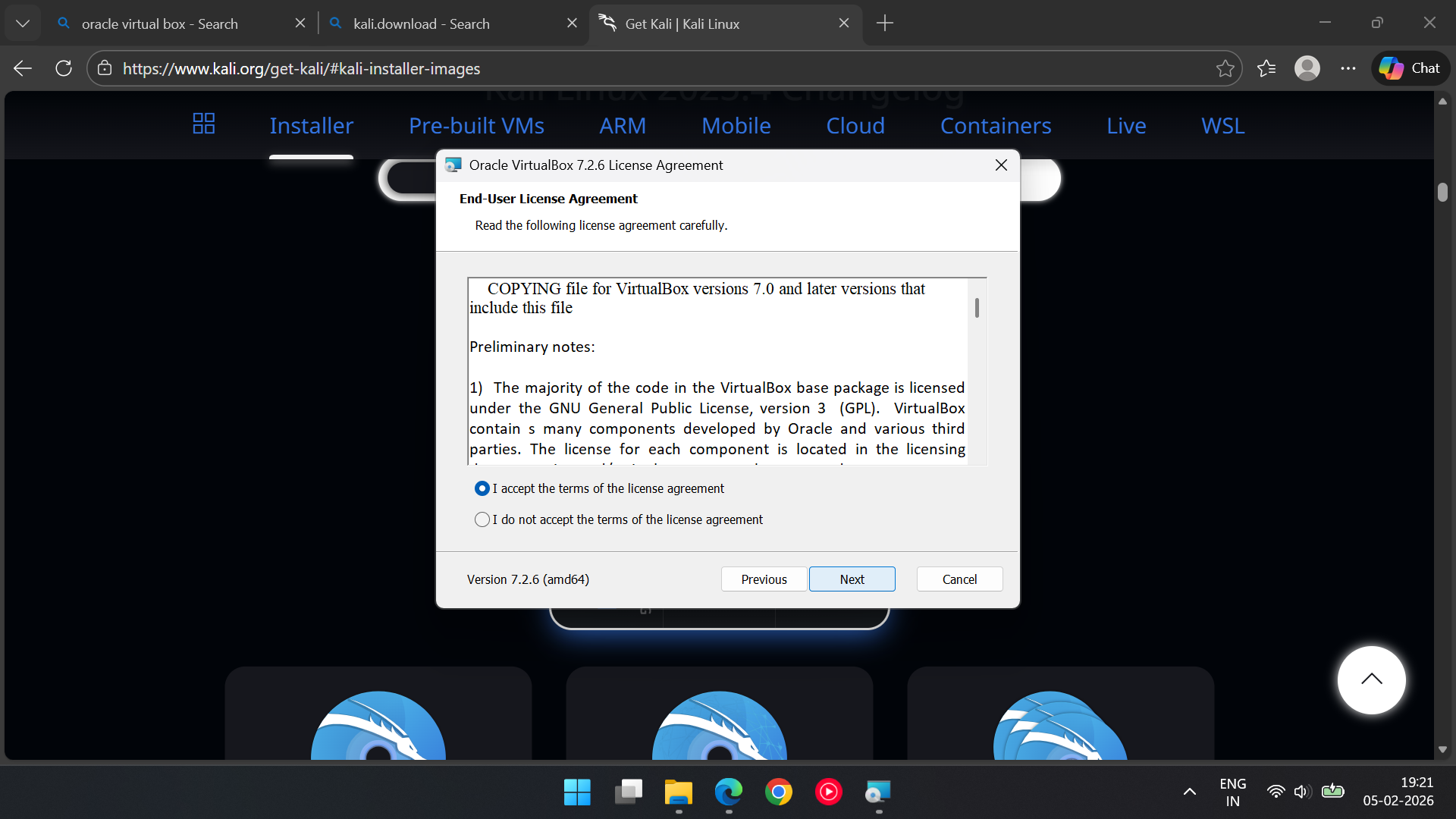
· Extensions > Install > select Oracle Virtual Box Extension Pack > Install > agree terms and Condition.
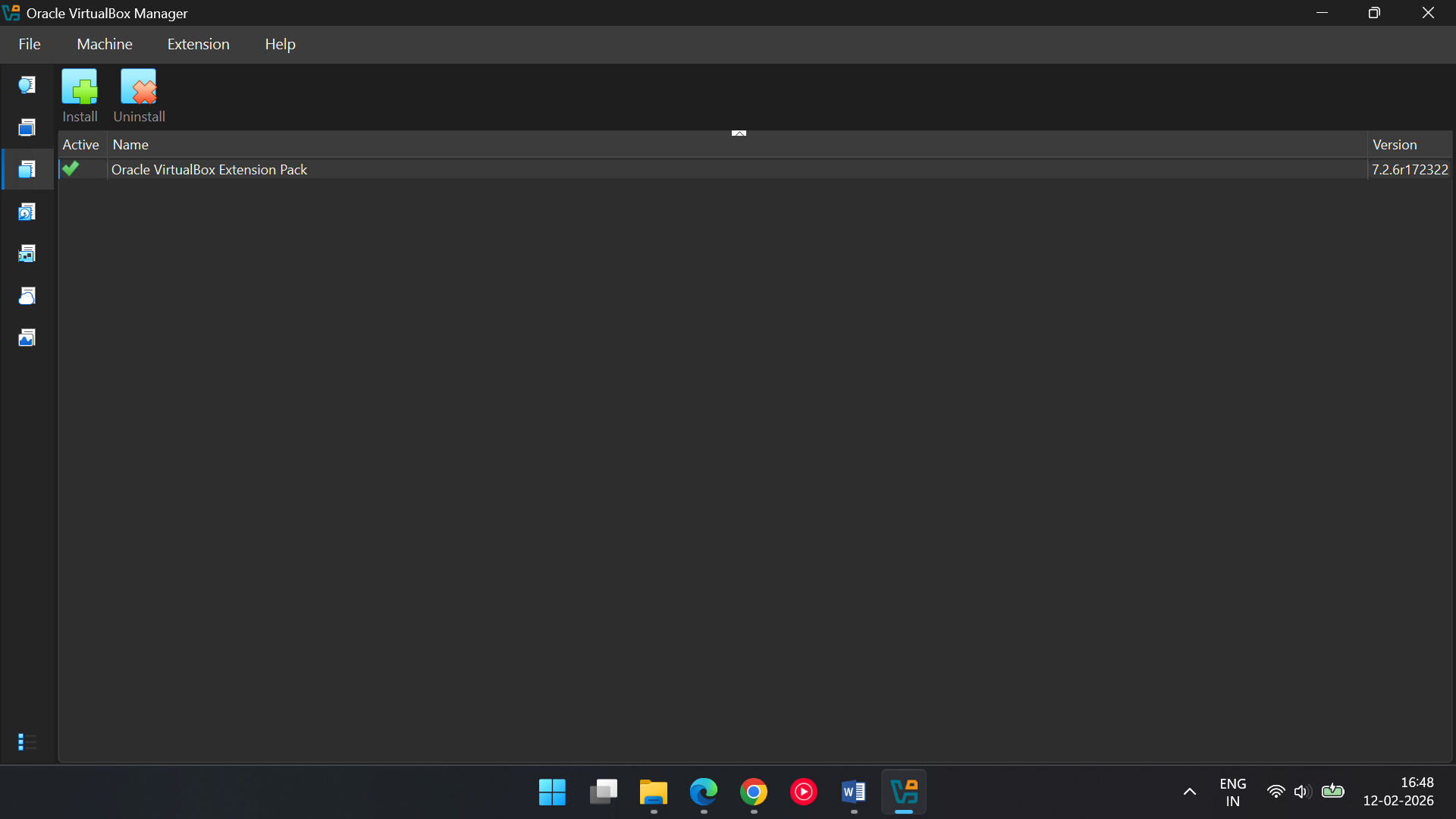
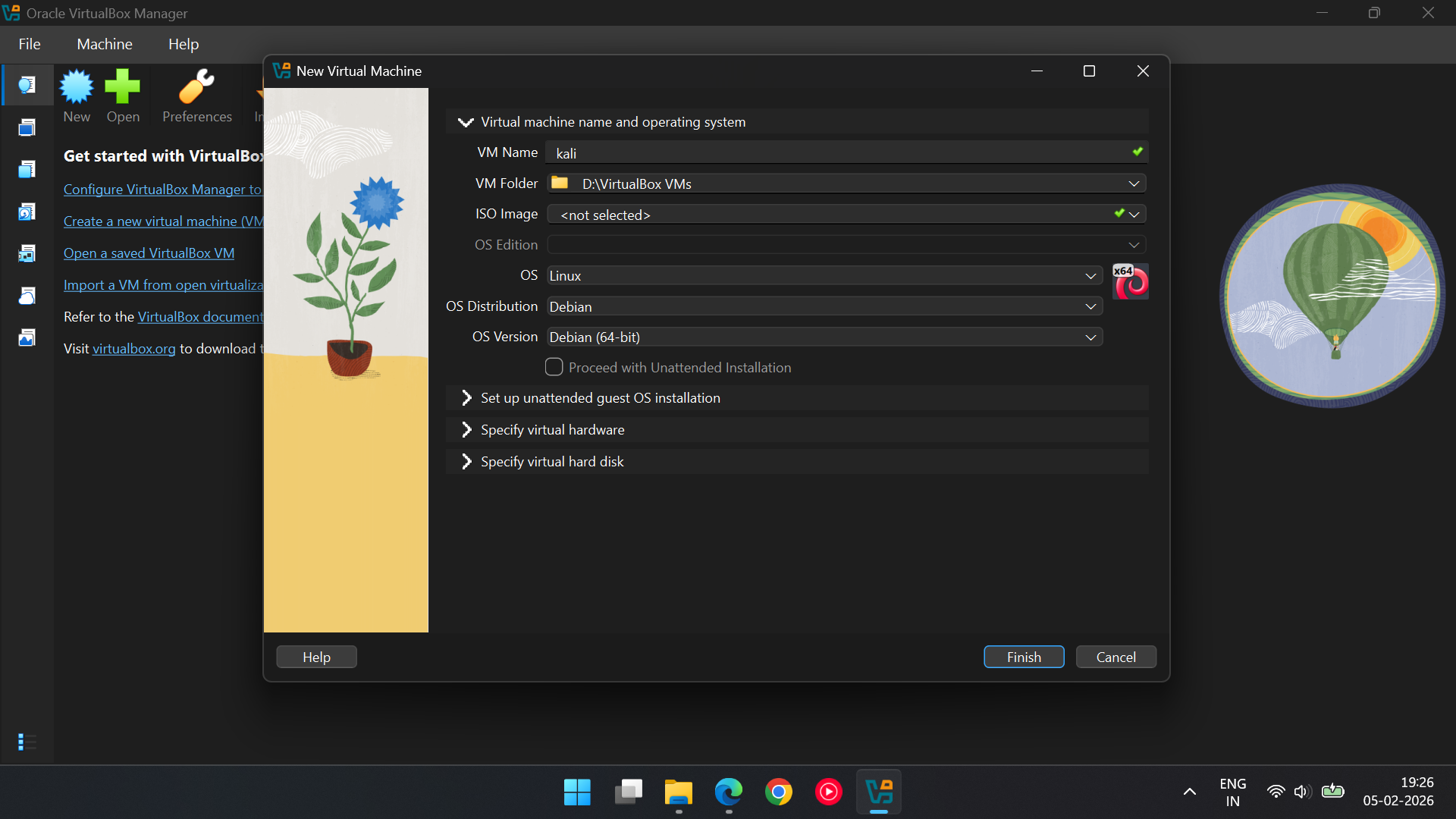
· Adding Kali:
· Click on home in Virtual Box > The "New" Button > VM Name: Kali > OS Distribution: Debian > OS : Linux > OS Version: Debian (64 bit).
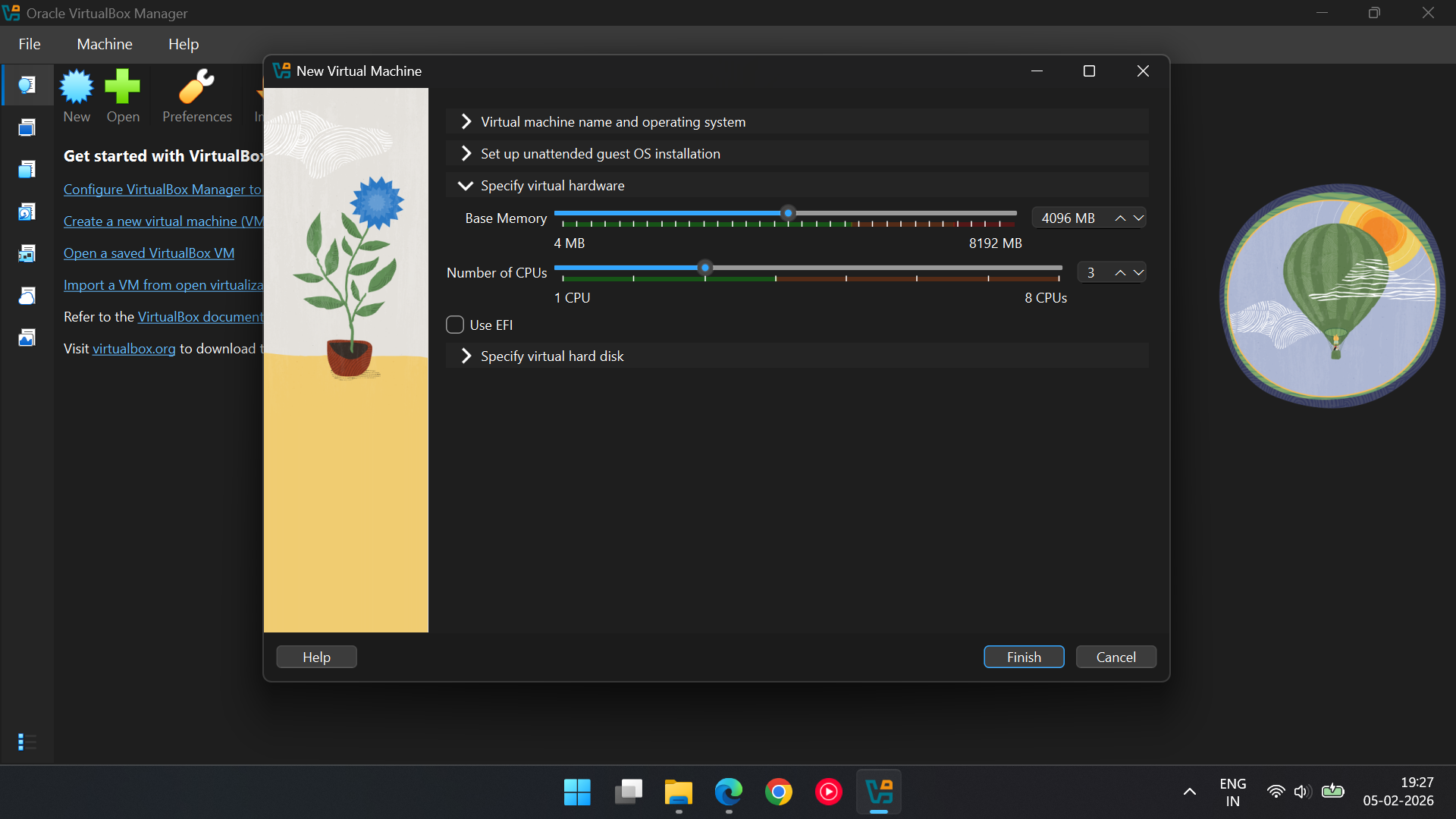
· Click on Specify virtual hardware:
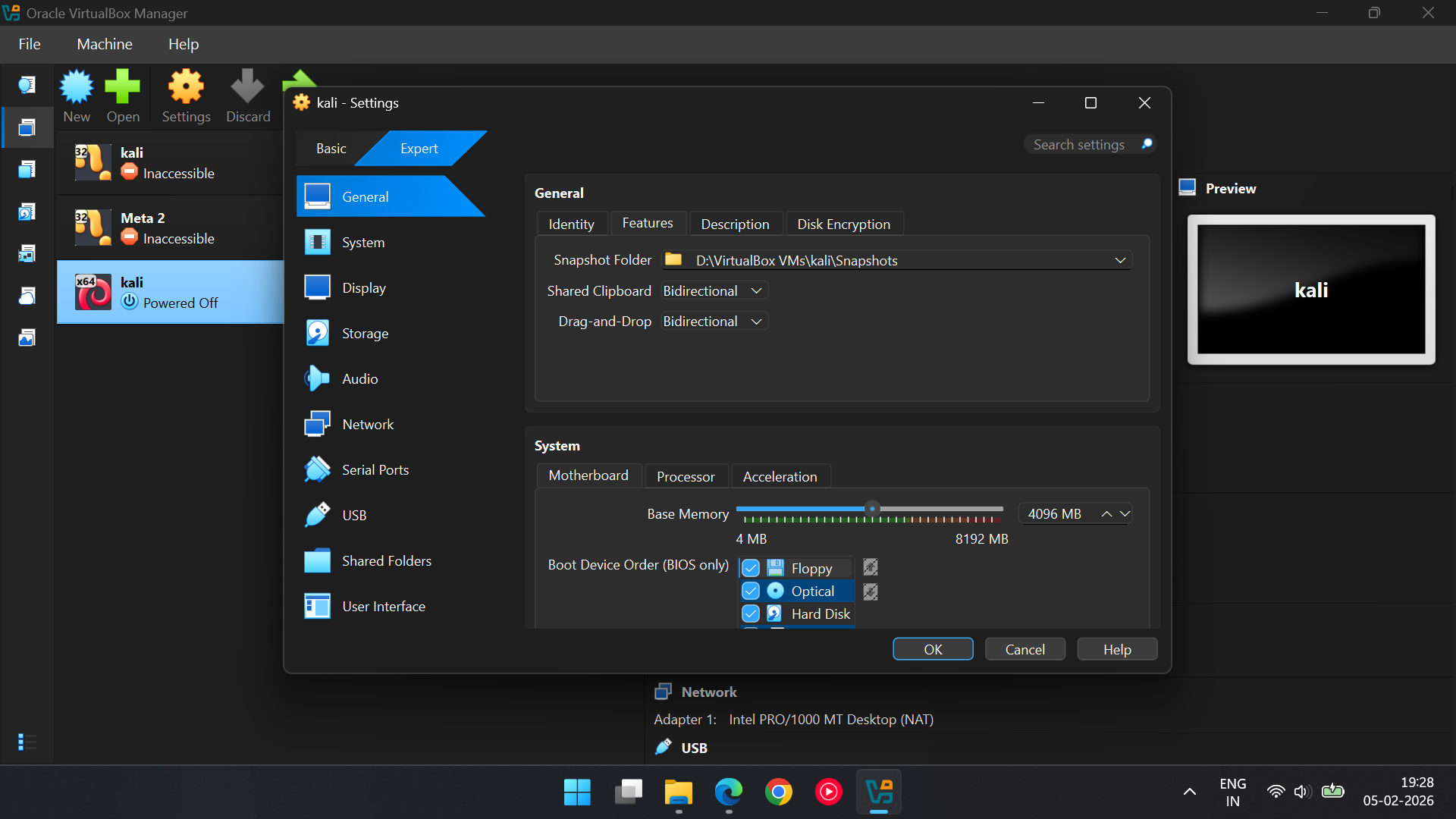
· RAM: Give it 4GB. Any less and it’ll be slower than a 1990s dial-up connection.
· CPUs: Give it 2 or 3 processors. Don't be stingy.
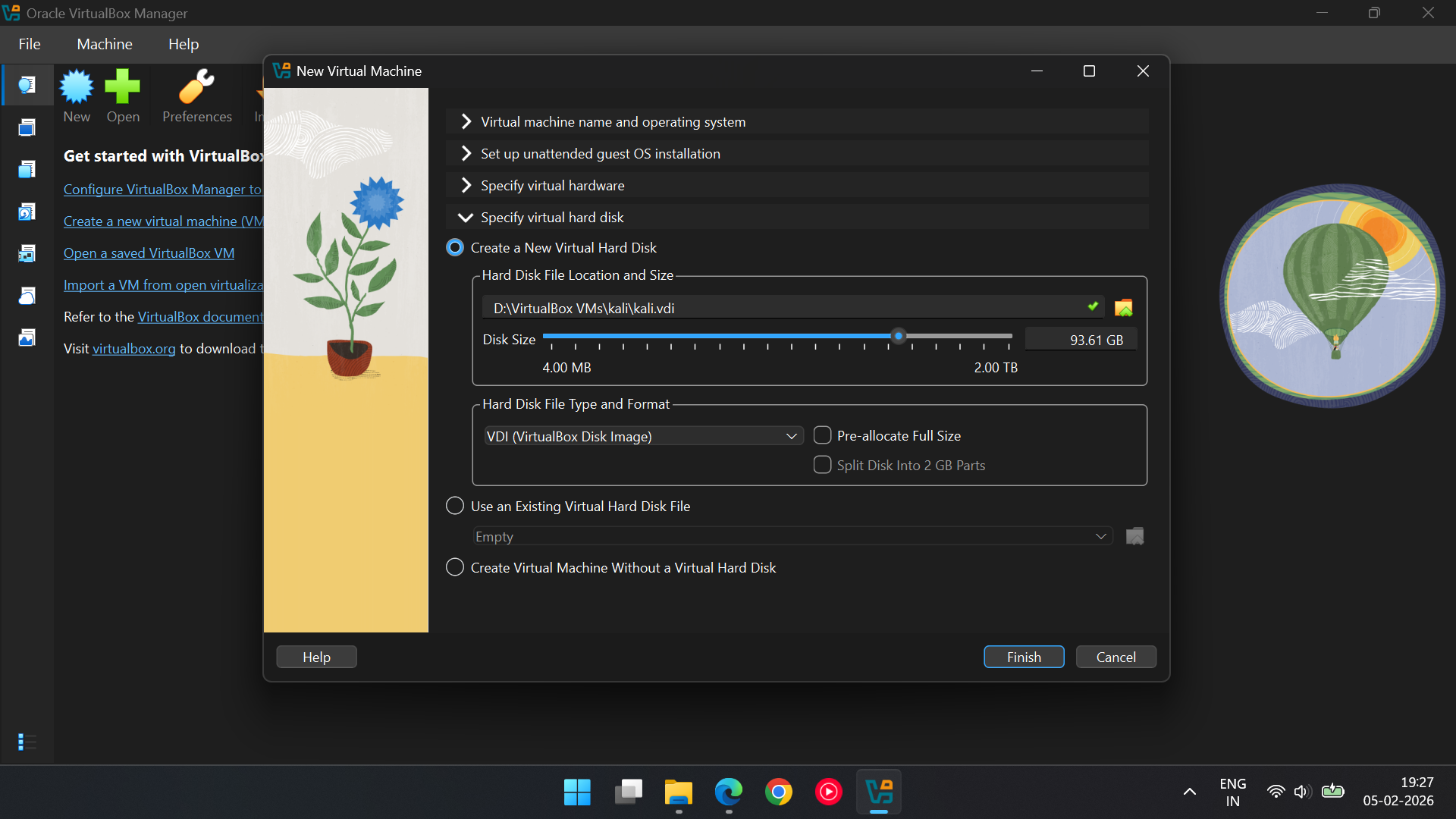
· The Apartment Size(Click on Specify virtual hard disk): Give it 50 GB of Hard Disk space. It needs room for all those "hacker tools" you'll eventually use.
· Click on the Finish Button.
Phase 3: The "Point of No Return" (Installation)
· The Brain Swap: Selecting that ISO file you just downloaded
· Right click on kali > Settings > General > Features > Shared clip: Bidirectional > Drag & Drop: Bidirectional.
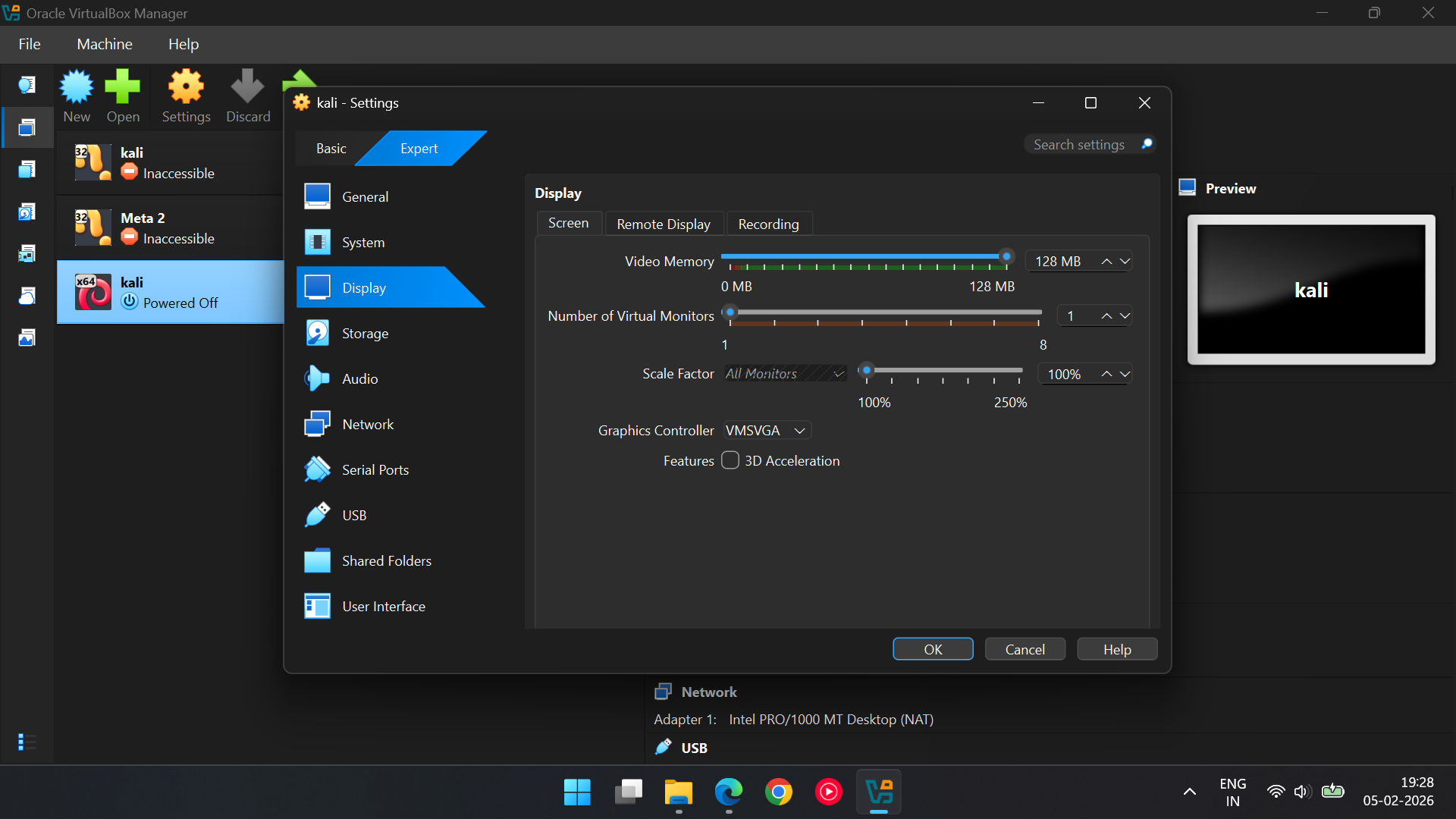
· Display > Video memory:128 MB.
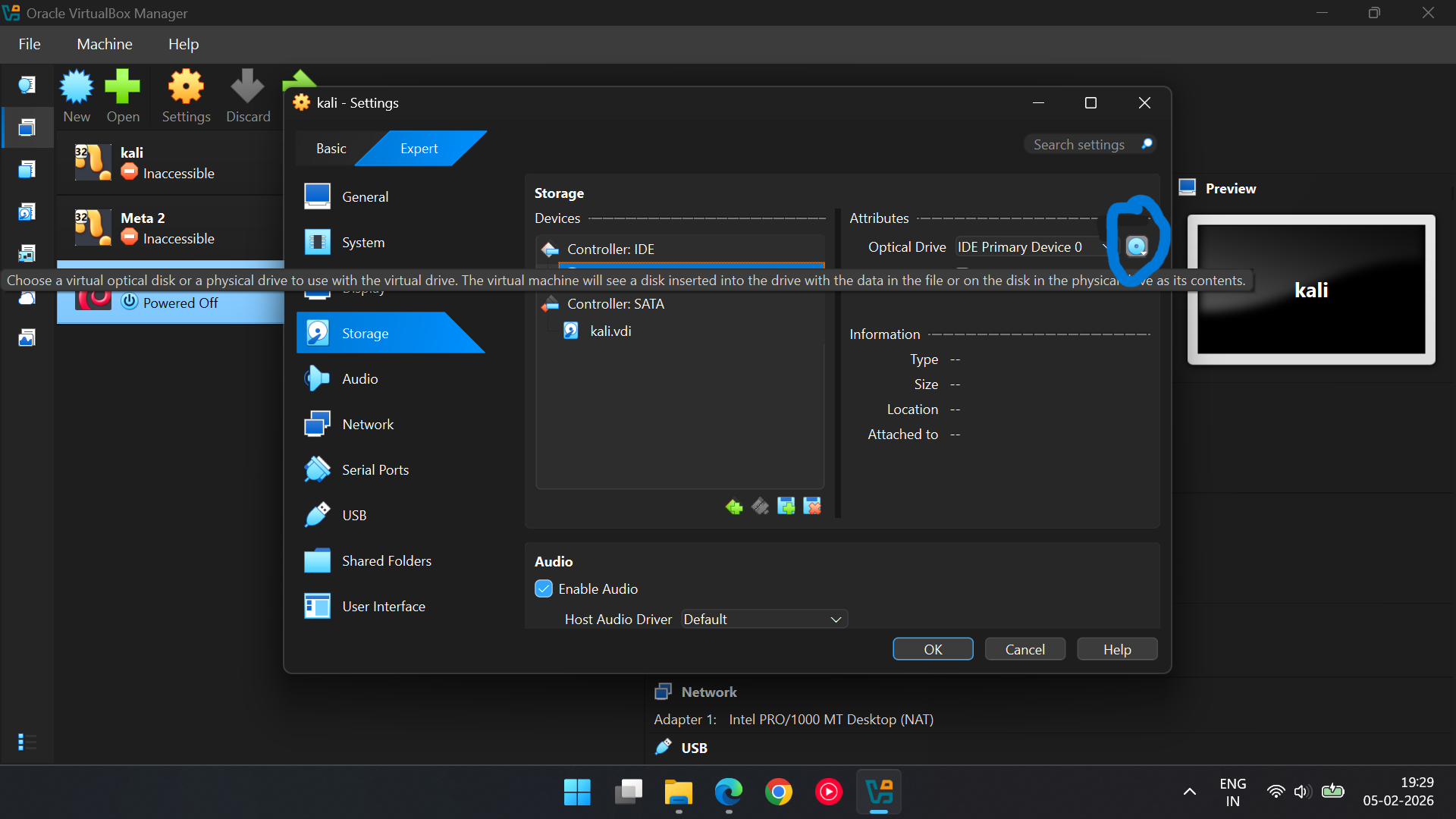
· Click on Storage > Empty > In attributes Click on Blue disk symbol
> Choose a Disk File and select Downloaded Kali ISO file(usually in
downloads section).
· Click on Ok.
--> Start the VM: Select your new Kali machine and click the green
"Start" arrow.
· Boot Menu: When the menu appears, select "Graphical Install" and
press Enter.
· Language & Region: Choose English, then select your location (e.g.,
India) and your keyboard layout (American English).
· Network Setup:
· Hostname: Keep it as "kali".
· Domain Name: You can leave this blank or type "local host".
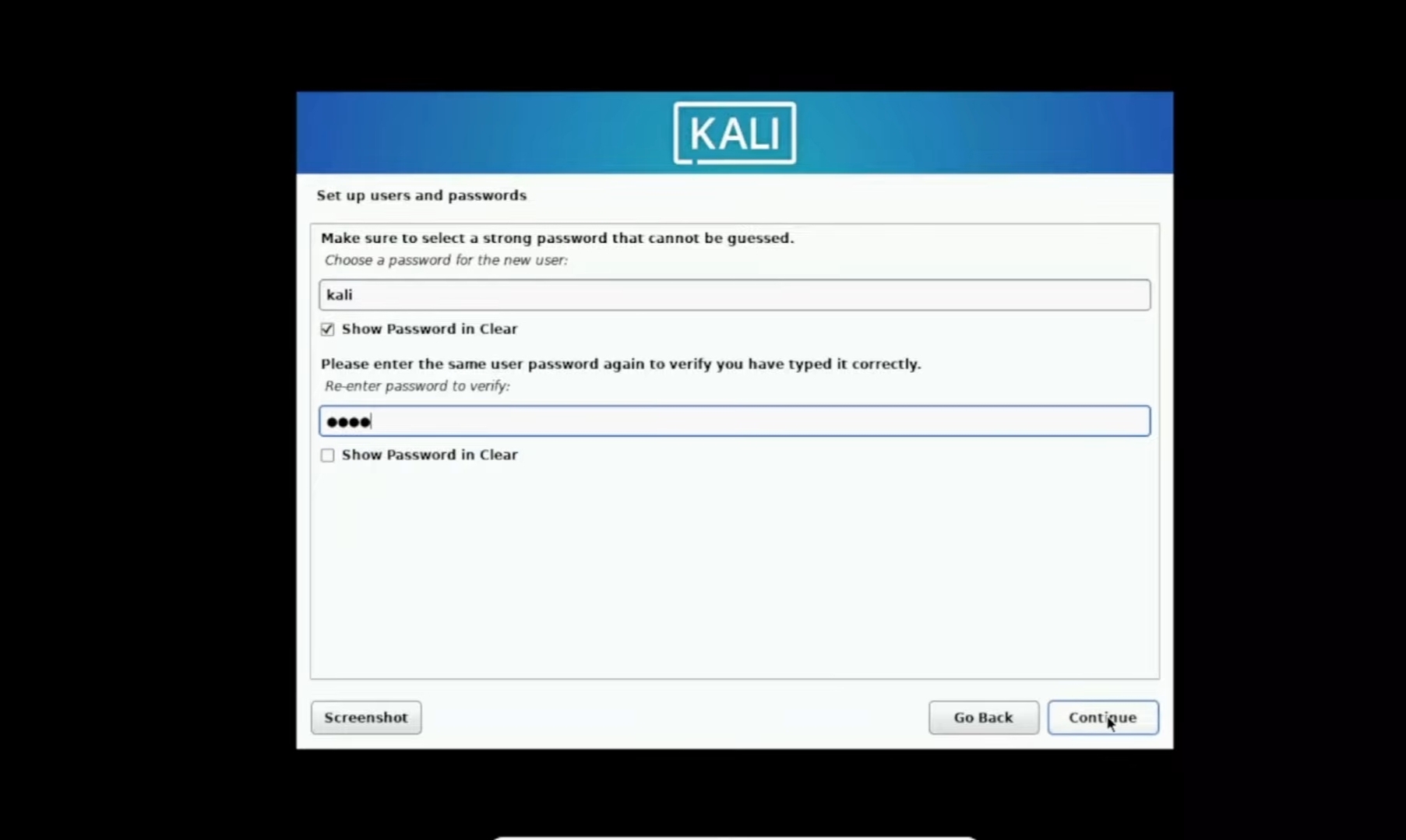
· Set up users and passwords :
· full name for the new user: Call it "kali".
· User/Pass: Pick a username. If you pick "Kali," you're boring. Pick something cooler name like Gojo. For the password, don't use "123456" unless you want to be the first person hacked on your own hacking machine.
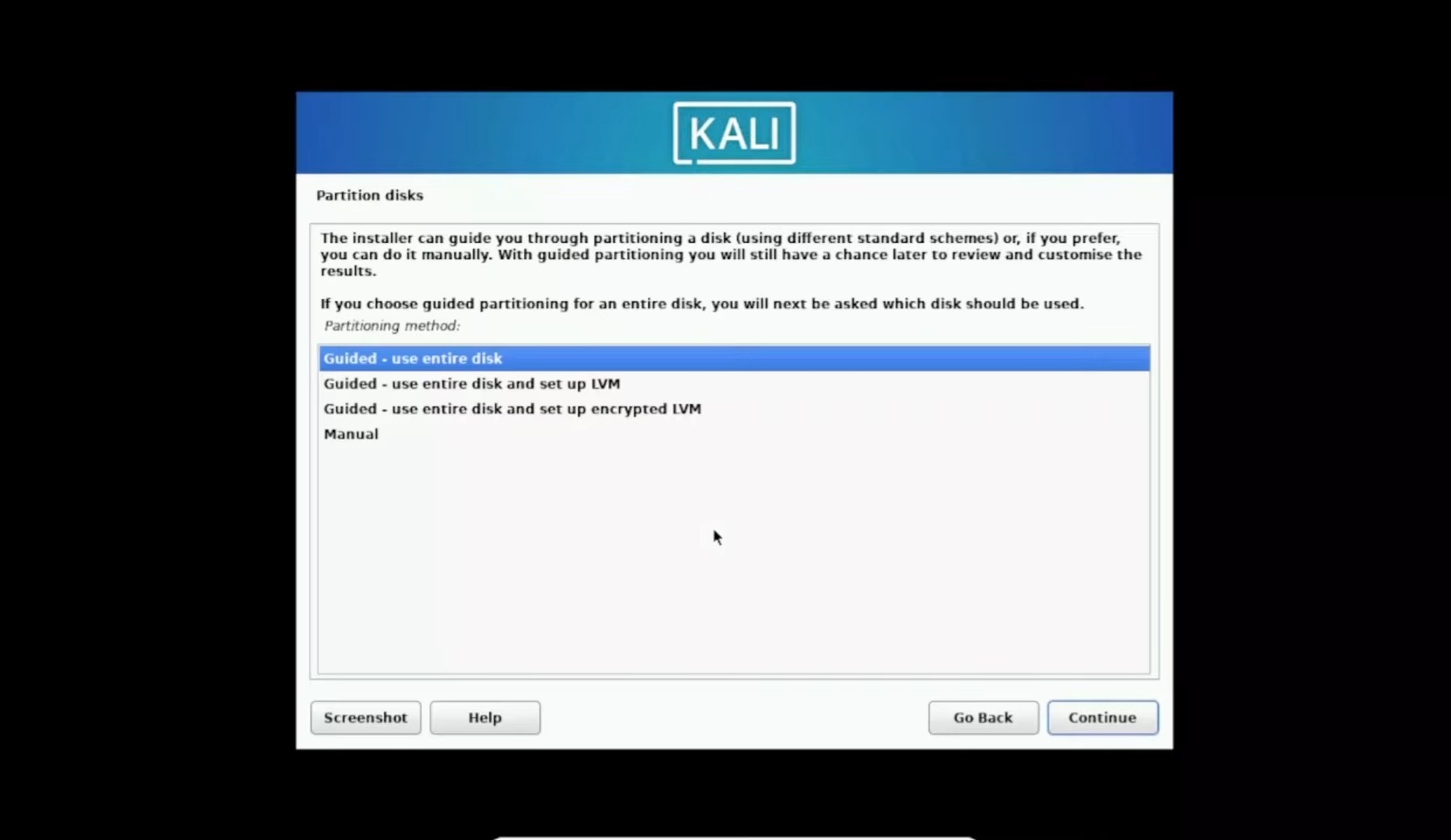
·The Scary Disk Part: When it asks about partitioning, pick "Guided - use entire disk." Don't panic! This is the virtual disk, not your actual C: drive. Your memes are safe.
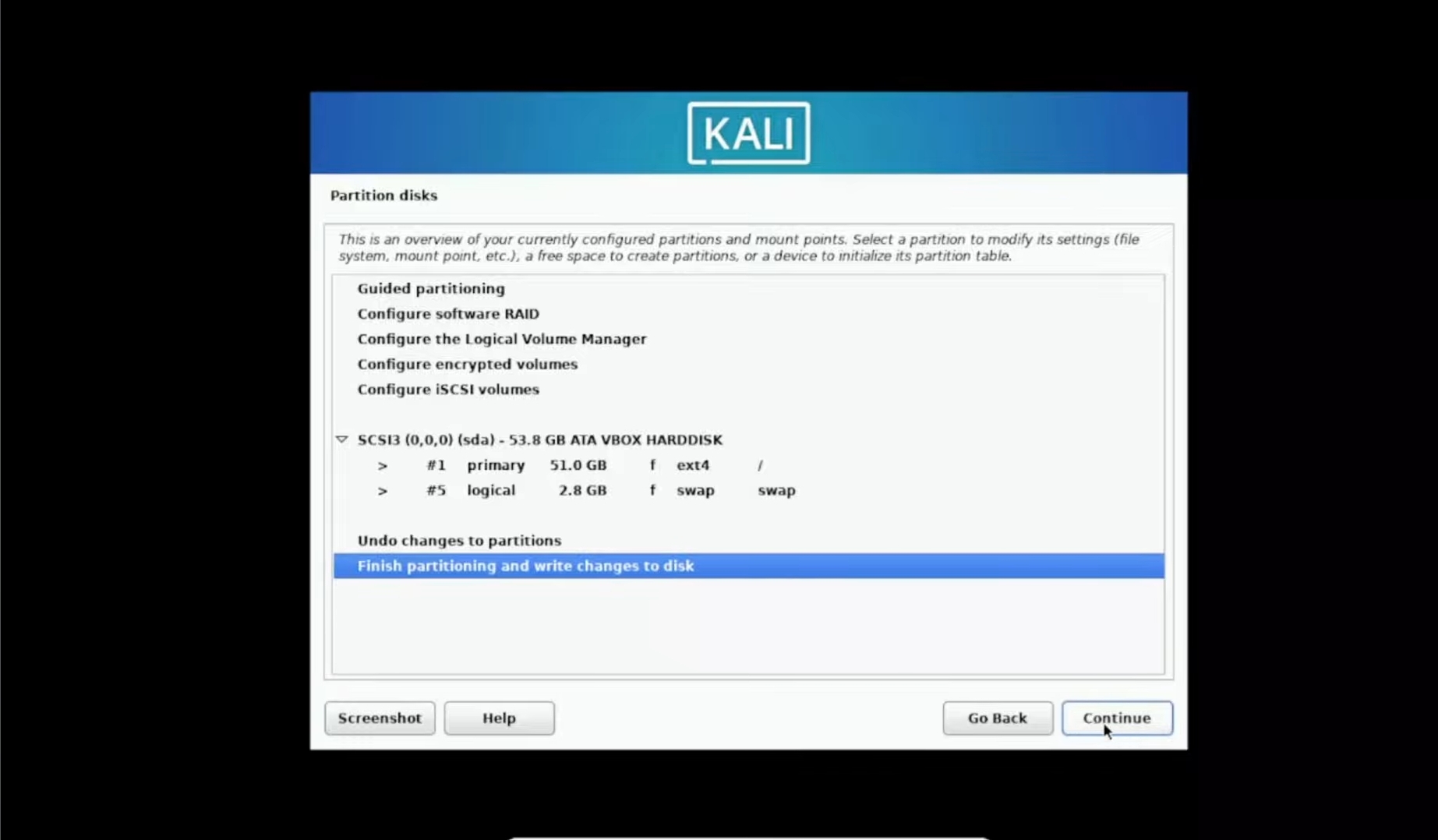
· Selected for Partitioning : All files in one Partition > continue > Select Finish Partitioning and make changes to disk > continue.
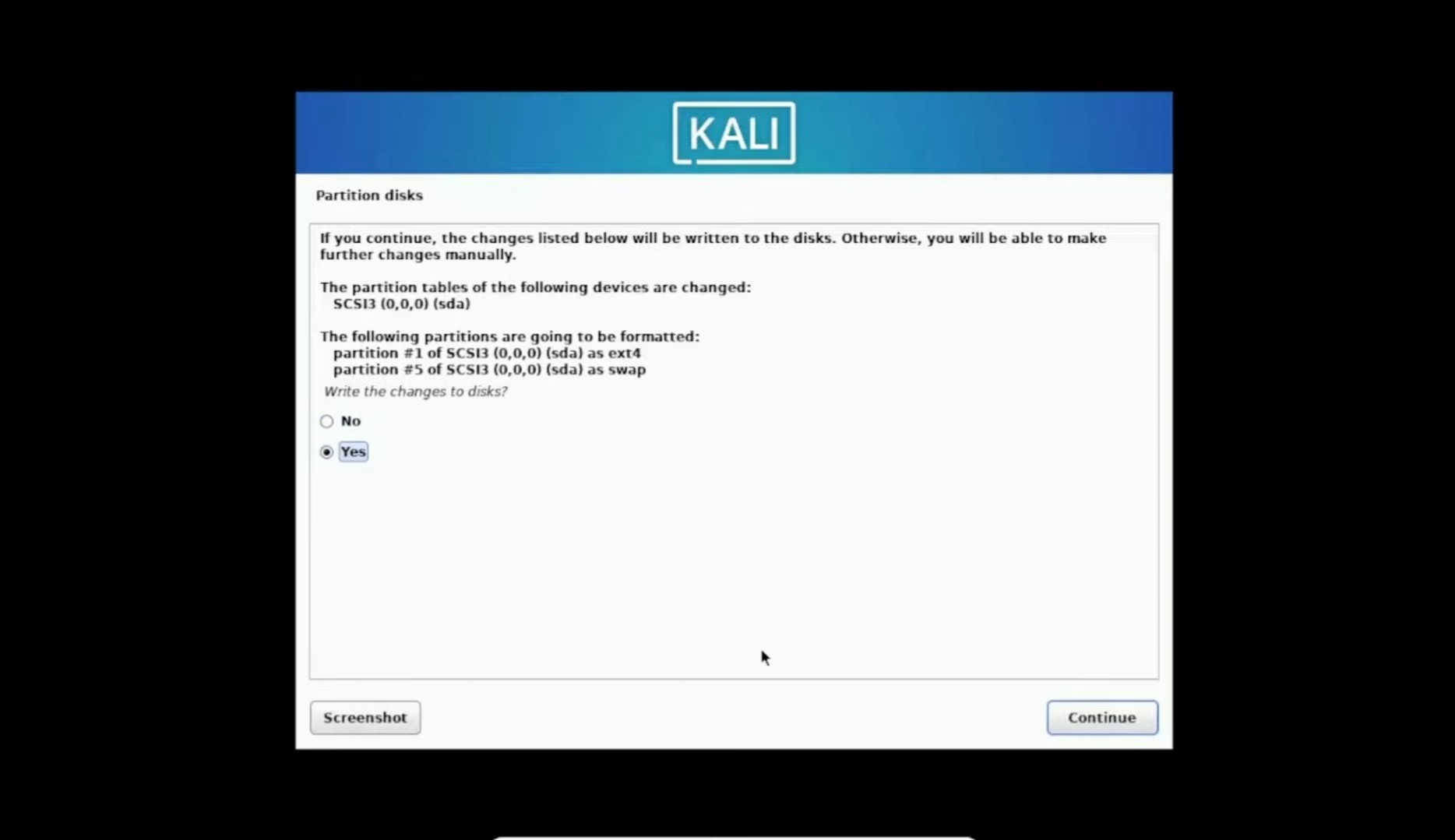
· The Final "Yes": When it asks to write changes, click Yes. This is where the magic happens.
· Software Selection : Default > continue > Select and Install Software.
Phase 4: Welcome to the Dark Side
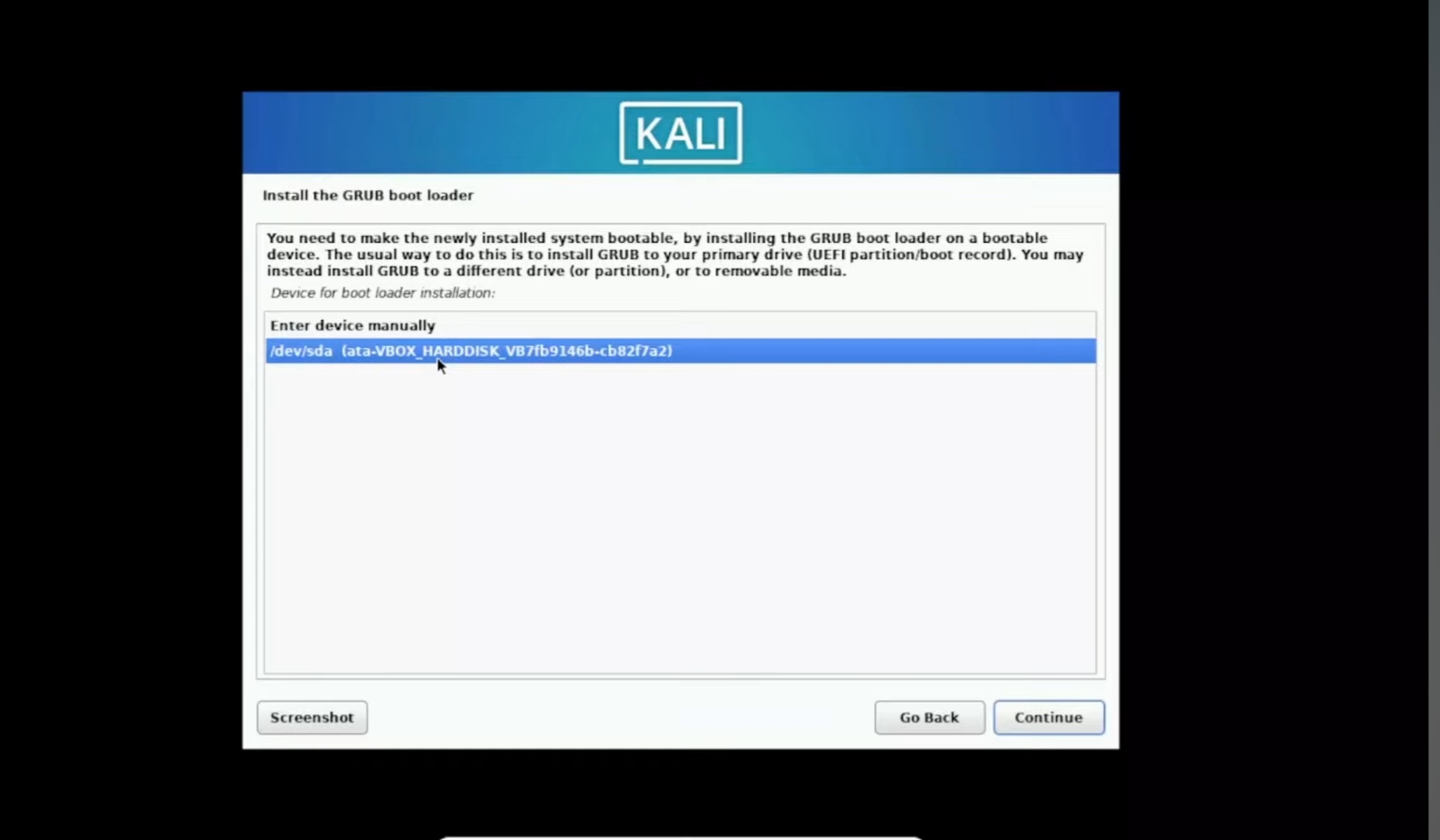
· GRUB Boot Loader: This is the bouncer at the door. When it asks to install it, say Yes.
· Install the GRUB Boot Loader > Yes > continue > install the GRUB boot loader select second option > continue
· Victory Lap: Once it says "Installation Complete," hit continue and the system will reboot.
· Login: Enter your credentials and... boom. You're in.
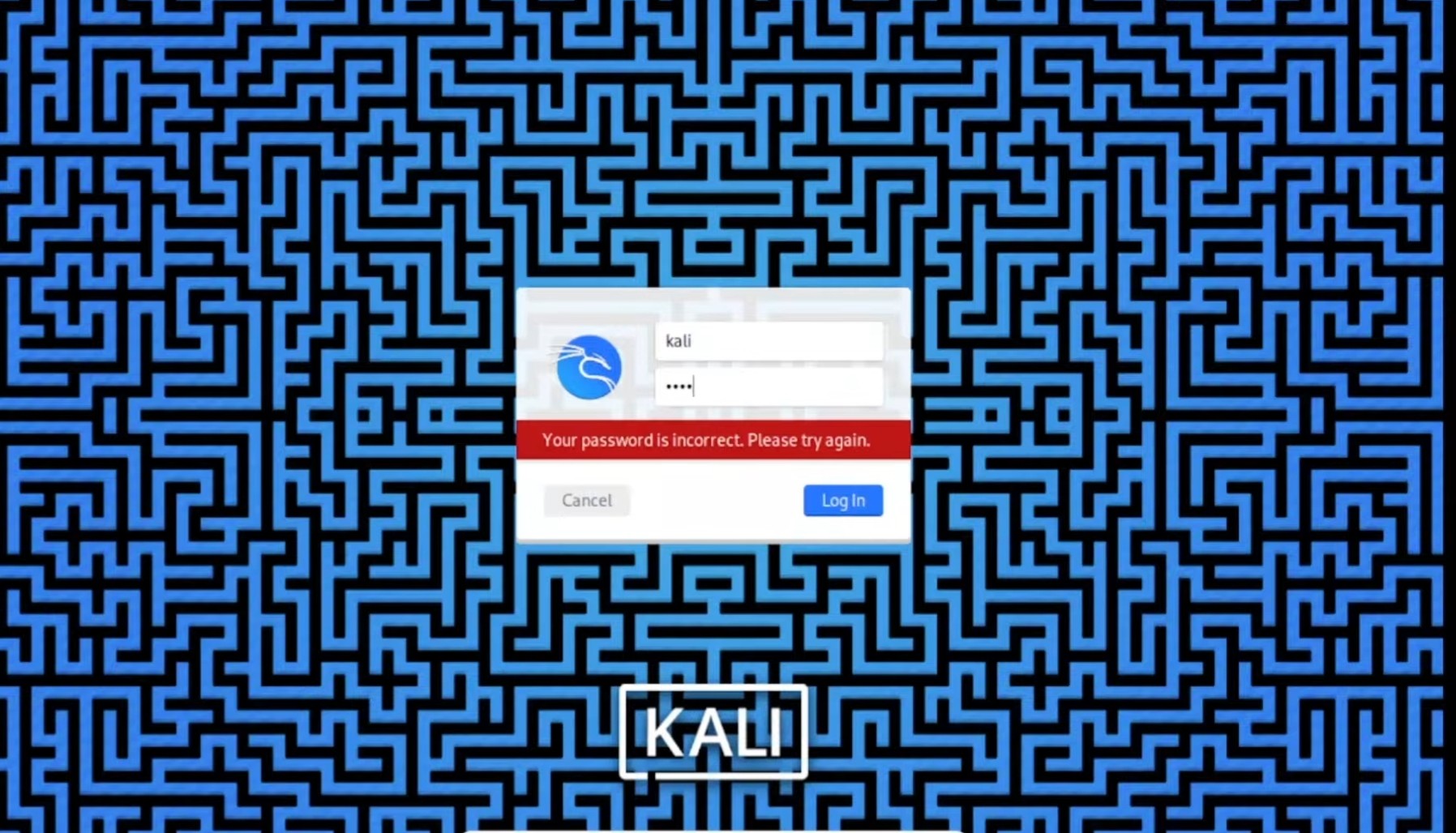
· After entering your credential’s, you should land on a screen that looks something like this.
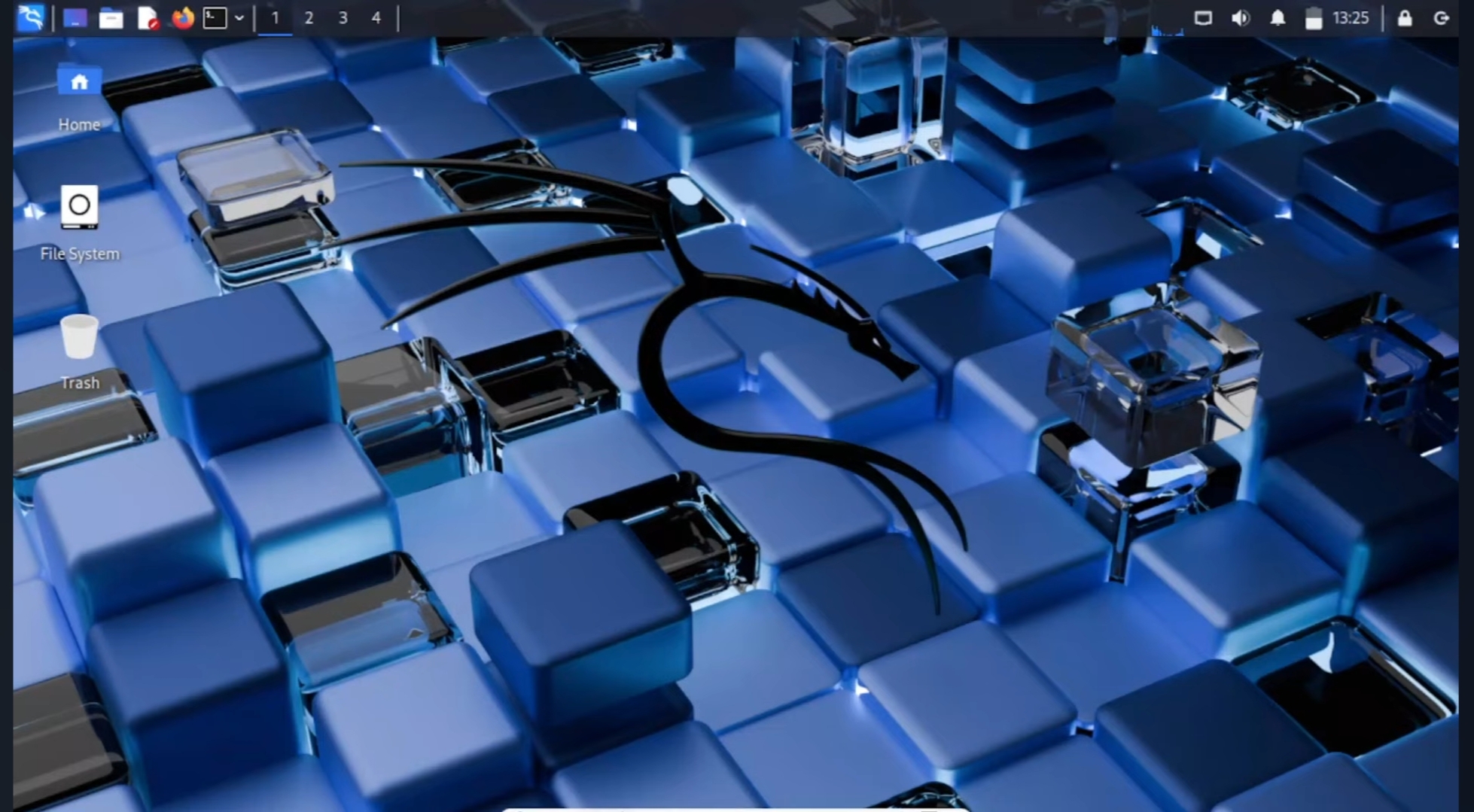
· Congratulations—you’ve just taken the first step toward becoming an Ethical Hacker (Super Hero’s In Hoddie ). Installing Kali Linux isn’t just an OS choice, it’s the start of your Cybersecurity origin story.
· Want to go from Zero to ZecurX Pro? Installing the OS is the easy part. Knowing how to use the 600+ tools inside is where the real fun begins. Join our community and let’s start breaking things!